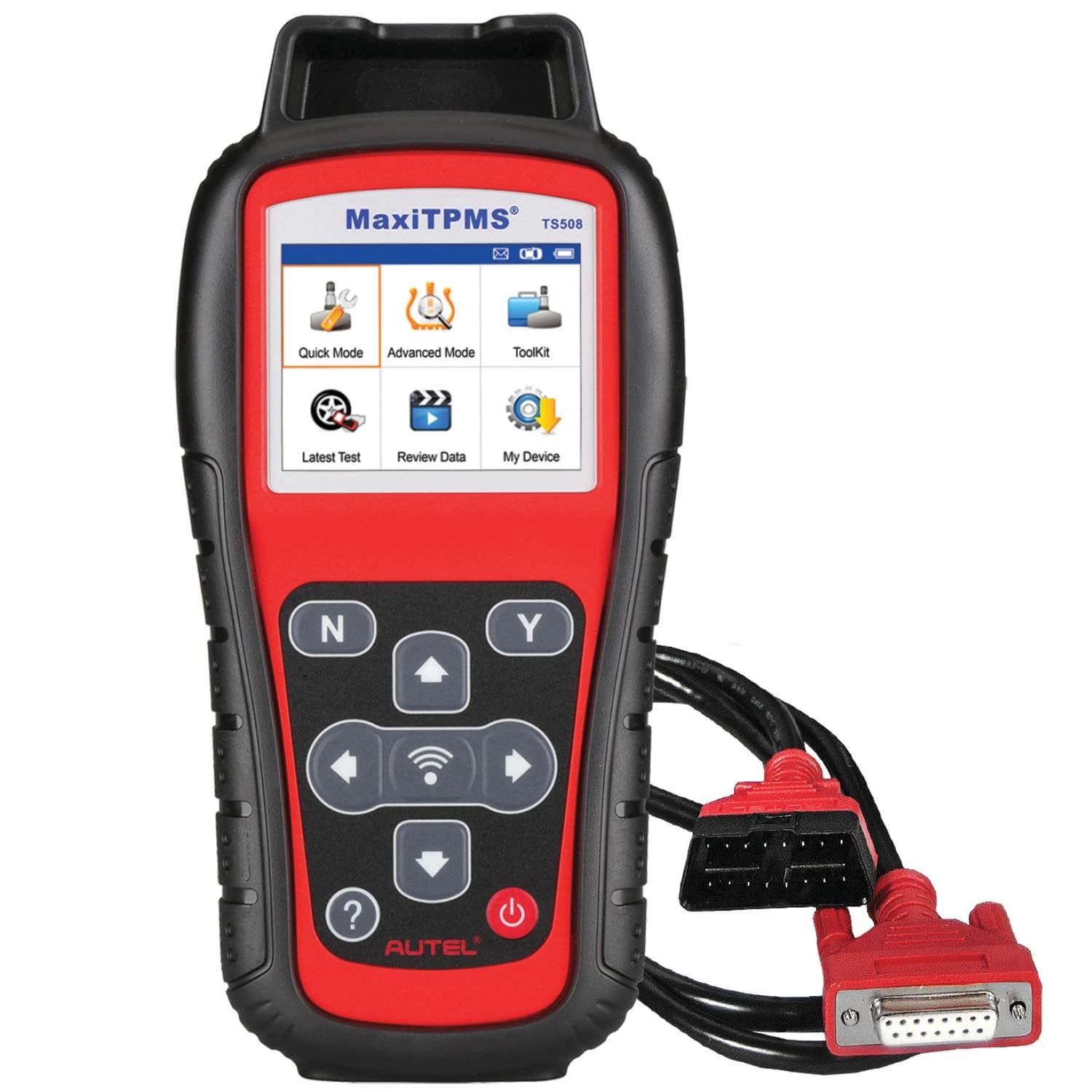
Two modes, two levels of work
The TS508WF guide divides the workflow into Quick Mode and Complete/Advanced functions. Quick Mode is the fast sensor-facing path: select vehicle make, model, and year, then activate sensors or scan them. Complete functions add TPMS system status, DTC reading and clearing, on-tool DTC descriptions, sensor programming by copying ECU IDs, and position-relearn guidance. That separation is useful for a shop because a simple sensor check does not require the same sequence as a full TPMS diagnosis, although the guide does not claim identical coverage for every vehicle.
Sensor information is more than pressure
The guide says the tool can read sensor ID, temperature, pressure, and sensor battery condition, and can display OE sensor information. Its example screens also show sensor/ECU ID matching, duplicate-ID and activation-failure messages, and a low-battery indication. These are actionable diagnostic fields rather than just a pressure display. The guide does not provide a universal sensor-frequency list or guarantee that every sensor can be activated. The operator must use the vehicle selection path and interpret the tool’s prompts for the particular application.
Programming paths are the differentiator
The Advanced Mode guide documents four programming choices: Copy by OBD, Copy by Activation, Copy by Manual Input, and Auto Create 1–16 Sensors. Copy by OBD reads IDs stored in the ECU; Copy by Activation uses the triggered sensor ID; Manual Input accepts an original ID; and Auto Create detects nearby MX-Sensors. The Quick Mode summary separately calls out three programming options and batch-programming 1–16 MX-Sensors. This is strong workflow flexibility, but it should not be mistaken for proof that arbitrary non-MX sensors are supported.
Relearn support is guided, not magic
Autel documents three position-relearn approaches in the guide: stationary relearn, automatic relearn, and OBD relearn. The tool presents an on-tool procedure and, where available, uses an OBD II connection to process the relearn. The instructions include checking the vehicle’s tire placard pressure and following the displayed procedure. Because relearn behavior is vehicle-specific, the guide’s examples show why make, model, and year selection matters. The TS508WF can guide and execute supported workflows; the guide does not justify claiming every vehicle uses OBD relearn.
Updates and ownership workflow
The guide tells users to register the device, bind it to an Autel ID, and check monthly for software updates. It documents USB updating through Maxi PC Suite and Wi-Fi updating, and says the tool should be connected to power throughout the update process. This is a meaningful ownership requirement: useful coverage depends on maintaining the software path. The source does not state update pricing, battery runtime, screen size, included accessories, or warranty terms. Those are intentionally not inferred from the quick-start document.
A practical fit for TPMS specialists
The TS508WF belongs in a shop that wants a single handheld workflow for sensor activation, data review, Autel MX-Sensor programming, DTC work, and relearn guidance. It is more capable than a simple valve-core tool or pressure gauge, but also more dependent on software, registration, and vehicle-specific coverage. The best buying discipline is to check current Autel coverage for the vehicles actually serviced and confirm the sensor strategy. The guide supports the feature set above, not a universal “works on everything” conclusion or a test-based quality ranking.