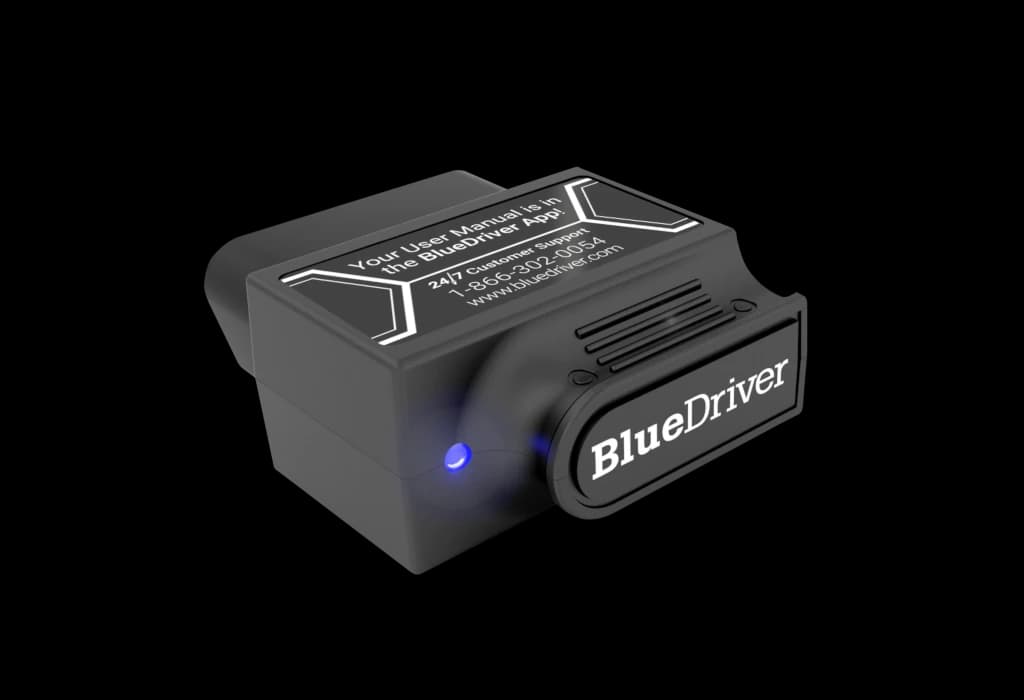
Keep the LSB2 distinct from Next-Gen
The linked listing's model and manufacturer-part fields identify LSB2. BlueDriver's current Pro product page also links a separate Pro Next-Gen offering, so the shared brand name is not sufficient evidence that every current feature applies to the older adapter. Match the hardware label and selected package, and ask BlueDriver to confirm LSB2 support for the functions needed. This review concentrates on its phone-connected diagnostic role. It does not transfer newer service-reset, battery-registration or programming claims to the LSB2 without generation-specific confirmation.
Generic OBD2 information and repair context
BlueDriver describes code reading and clearing, freeze-frame information, live data, Mode 6 results, readiness checks and Repair Reports in the Pro workflow. These can help organize a fault investigation: stored conditions and live values provide more context than a code label alone. They do not prove that the part named in a description has failed. Permanent emissions-code behavior is controlled by the vehicle's monitoring logic rather than a promise that the adapter can erase everything. Use vehicle diagnostic information to decide what must be measured or tested next.
Enhanced-system access needs an exact vehicle check
The manufacturer describes enhanced diagnostics for supported makes and systems, including areas such as ABS and airbag information. That is conditional coverage, not blanket access to every module in every North American car. Its compatibility checker asks where the vehicle was originally sold because regional specifications can change support. Confirm the exact year, make, model, engine and required system with LSB2 explicitly named. Do not infer TPMS programming or an ABS bleeding routine merely because TPMS or ABS fault information is available.
The phone is part of the working setup
Bluetooth and the BlueDriver app replace the screen and controls of a standalone reader. This can suit an owner already using a compatible iOS or Android phone, but it introduces phone power, app compatibility and connection permissions into the diagnostic plan. Check current app requirements before purchasing for an older device, and establish a stable connection before relying on a live-data session. We have not paired an LSB2, measured connection speed or tested phone support. Evaluate the adapter as part of this complete phone-and-app workflow.
How it differs from the other diagnostic choices
A FOXWELL NT301 or Autel AL519 provides a dedicated handheld route to appropriate engine and emissions OBD2 work. Innova 5610 and Autel MK900-BT serve a different buying decision when supported active tests or broader workshop functions are required. The LSB2 instead places interaction on a phone and adds BlueDriver's supported diagnostic context. Compare the exact functions each confirms for the same vehicle, rather than treating a larger system count, wireless connection or repair-report feature as proof of equivalent capability.
Ownership costs and realistic expectations
BlueDriver advertises the Pro approach without subscription fees, relevant when comparing tools that charge for continued updates. Confirm the policy and app support for the selected LSB2 hardware rather than assuming future coverage is unlimited. The stated North American 1996-and-newer baseline is a starting point for OBD2 suitability, while enhanced features remain vehicle-dependent. This is most convincing as a defined owner's diagnostic purchase. A workshop needing guaranteed current gateway access, coding or particular active routines should obtain explicit confirmation or select equipment designed for those requirements.